
quickstart on MCPs
in case you haven't tried them yet

Originally posted this a month ago. Reposted for tracking purposes.
I attended “lazy hack”, a hackathon for helping you get started with building your first Model Context Protocol (MCP). As esoteric as the acronym sounds, MCP is simply an agreed upon standard for LLMs to interact with each other, similar to HTTP is the standard for accessing websites in the world. Why is this important? It means you can easily build an all-in-one “agent” that knows which tools to use depending on the question you’ve asked. Let’s build our first one.
Create your MCPs
For each of the repos, simply paste the code into your repo. It is as simple as it looks.
first_cmp/
    calc.py
    weather.py
Setup Coding Agent
Once you have either of these setup, you can use a coding agent of your choice. I was introduced to Cline, which is an extension on VSCode. You can also use Claude Desktop, which is available on Macbook.
Once you’ve installed Cline, you can do the following:
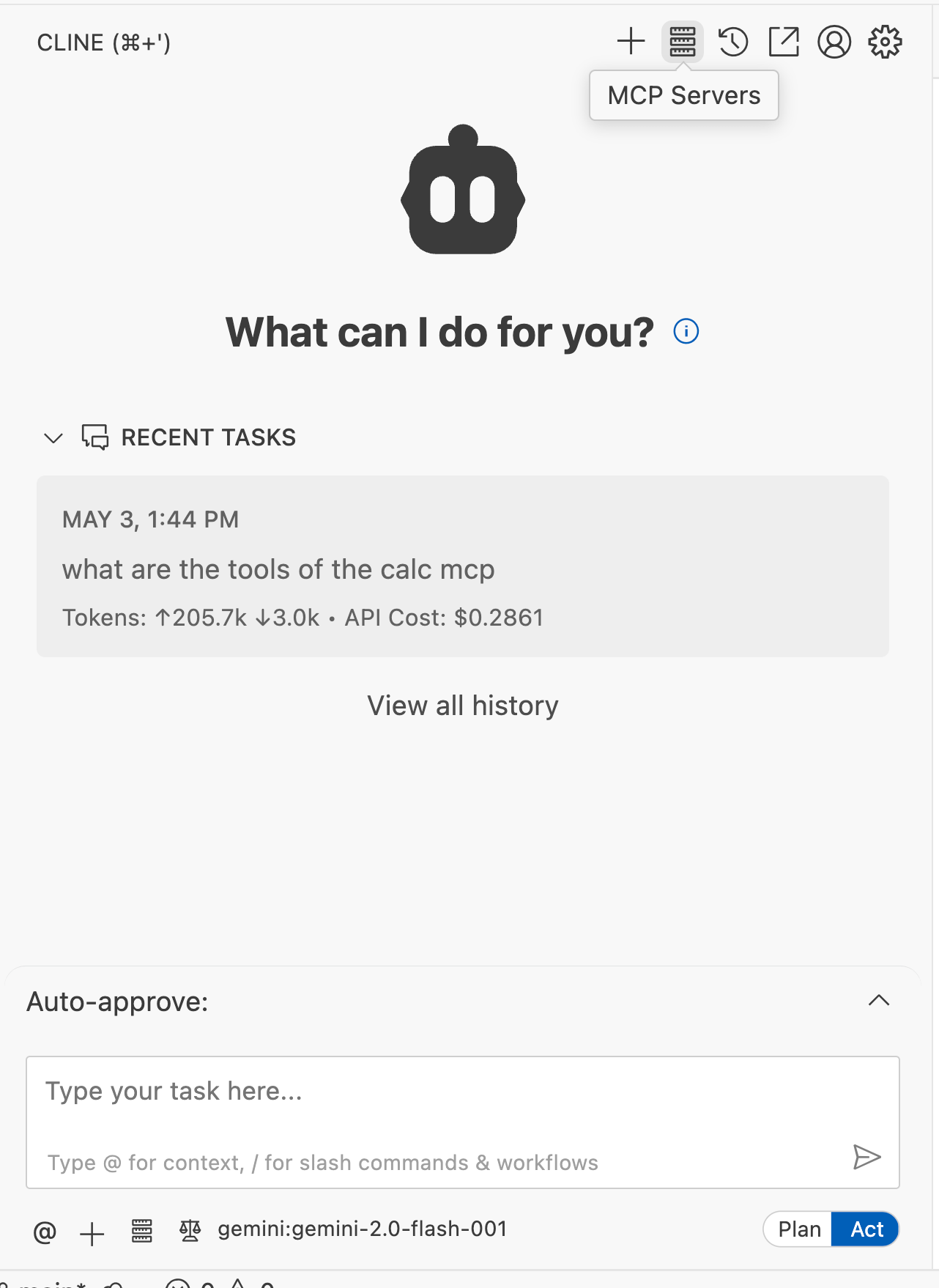
Navigate to the Cline icon on your desktop

Tap the MCP Servers option at the top right corner
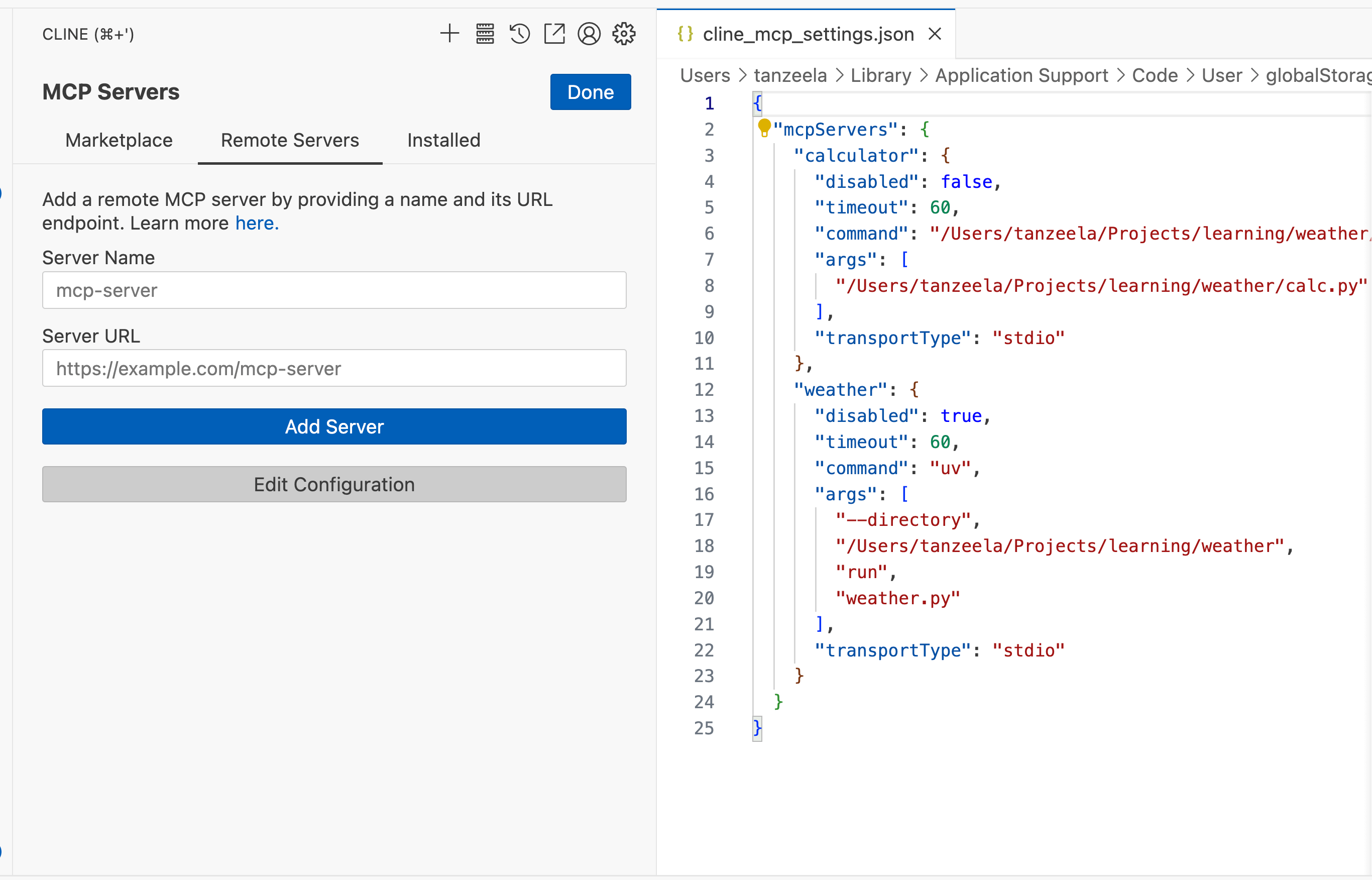
Navigate to “Remote Servers” and tap “Edit Configuration”
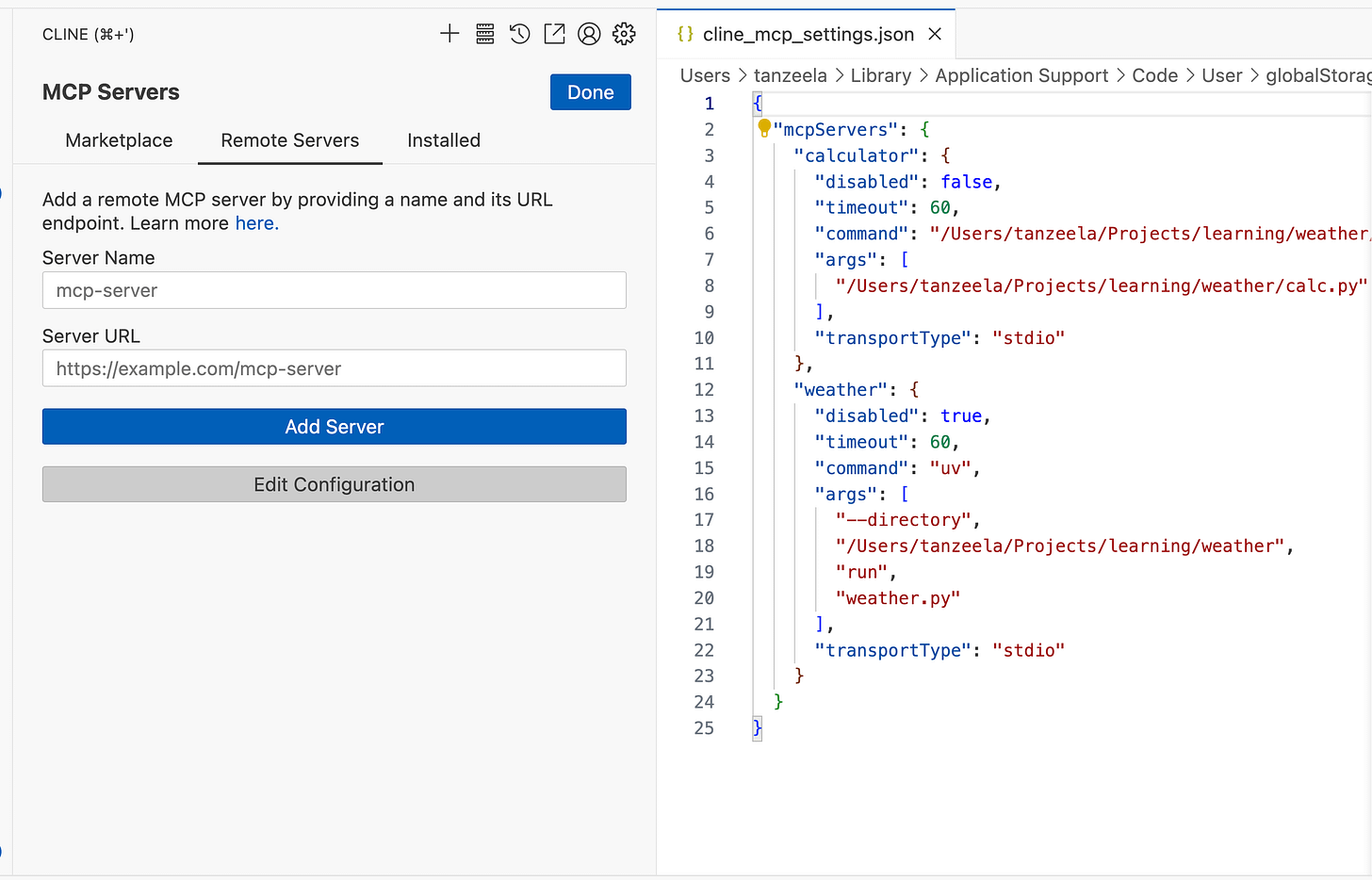
For each of your MCP servers, paste in the configuration. Below are the configurations for the calculator and weather servers. Make sure to replace the paths with your environment paths.
{
    "mcpServers": {
       "calculator": {
            "command": "<REPLACE_PATH>/.venv/bin/python",
            "args": ["<REPLACE_PATH>/calc.py"],
            "disabled": false,
            "transportType": "stdio"
       },
       "weather": {
            "disabled": false,
            "timeout": 60,
            "command": "<REPLACE_PATH>/uv",
            "args": [
              "--directory",
              "<REPLACE_PATH>/weather",
              "run",
              "weather.py"
            ],
            "transportType": "stdio"
        }
    }
}
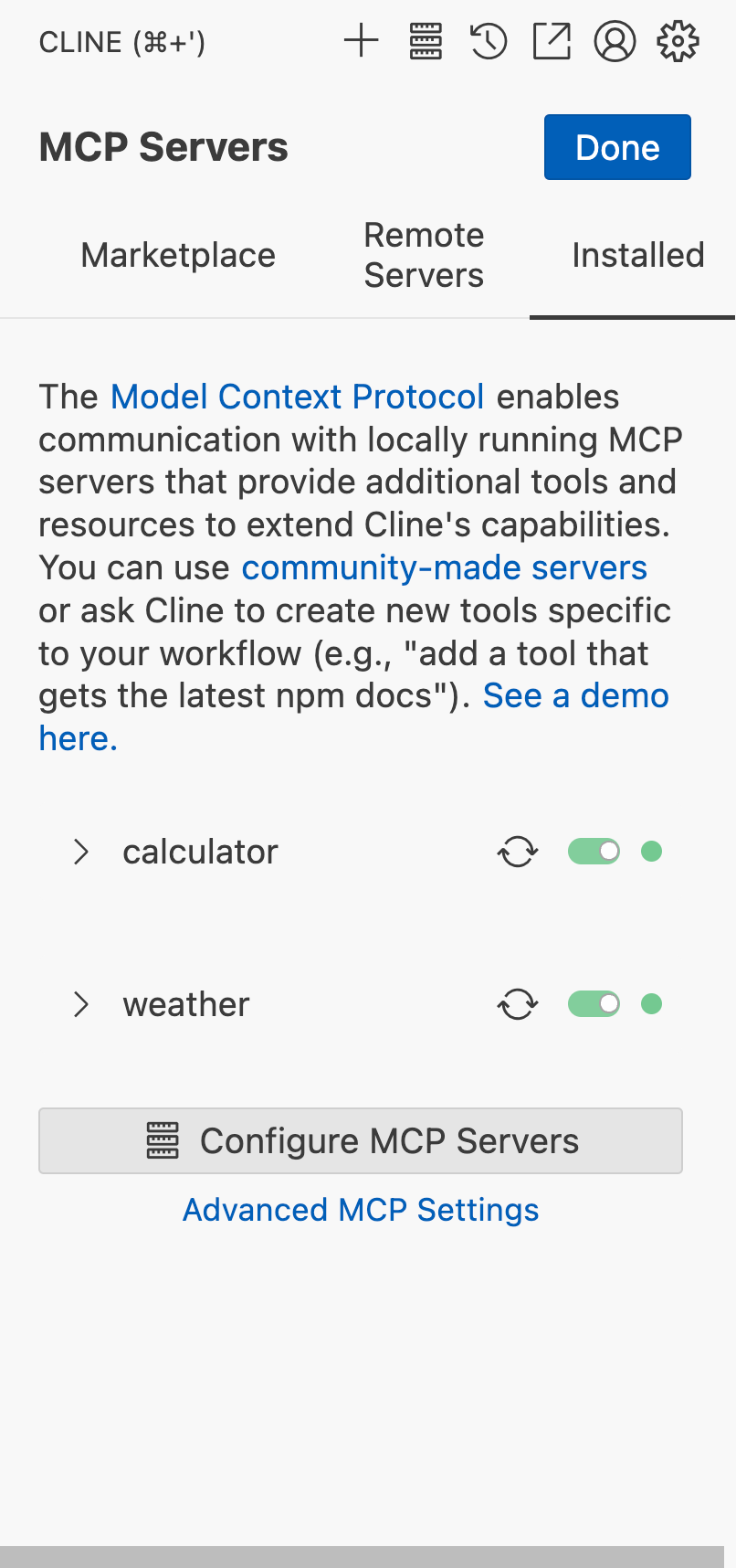
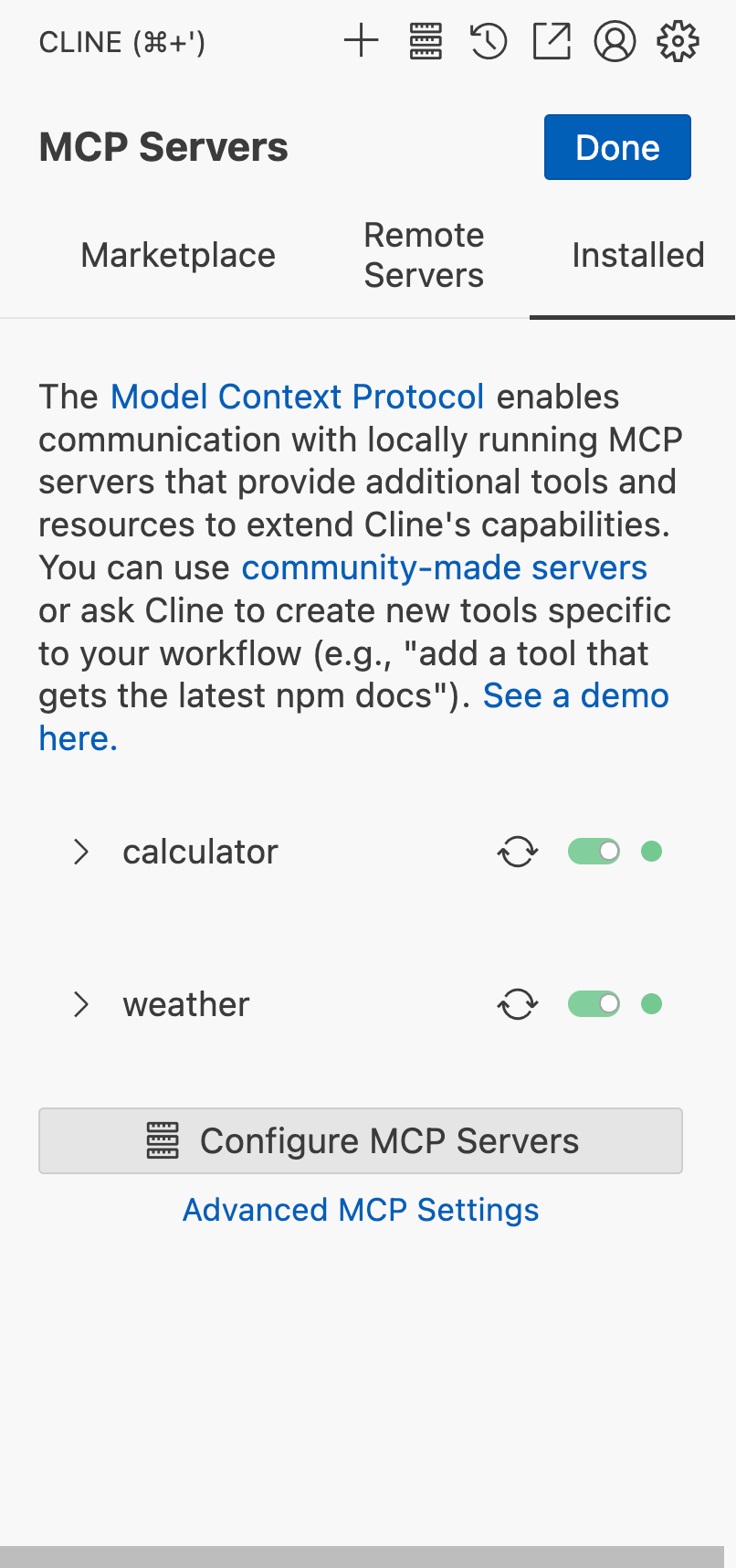
Once your configurations are setup, you should see them in green on the lefthand-side
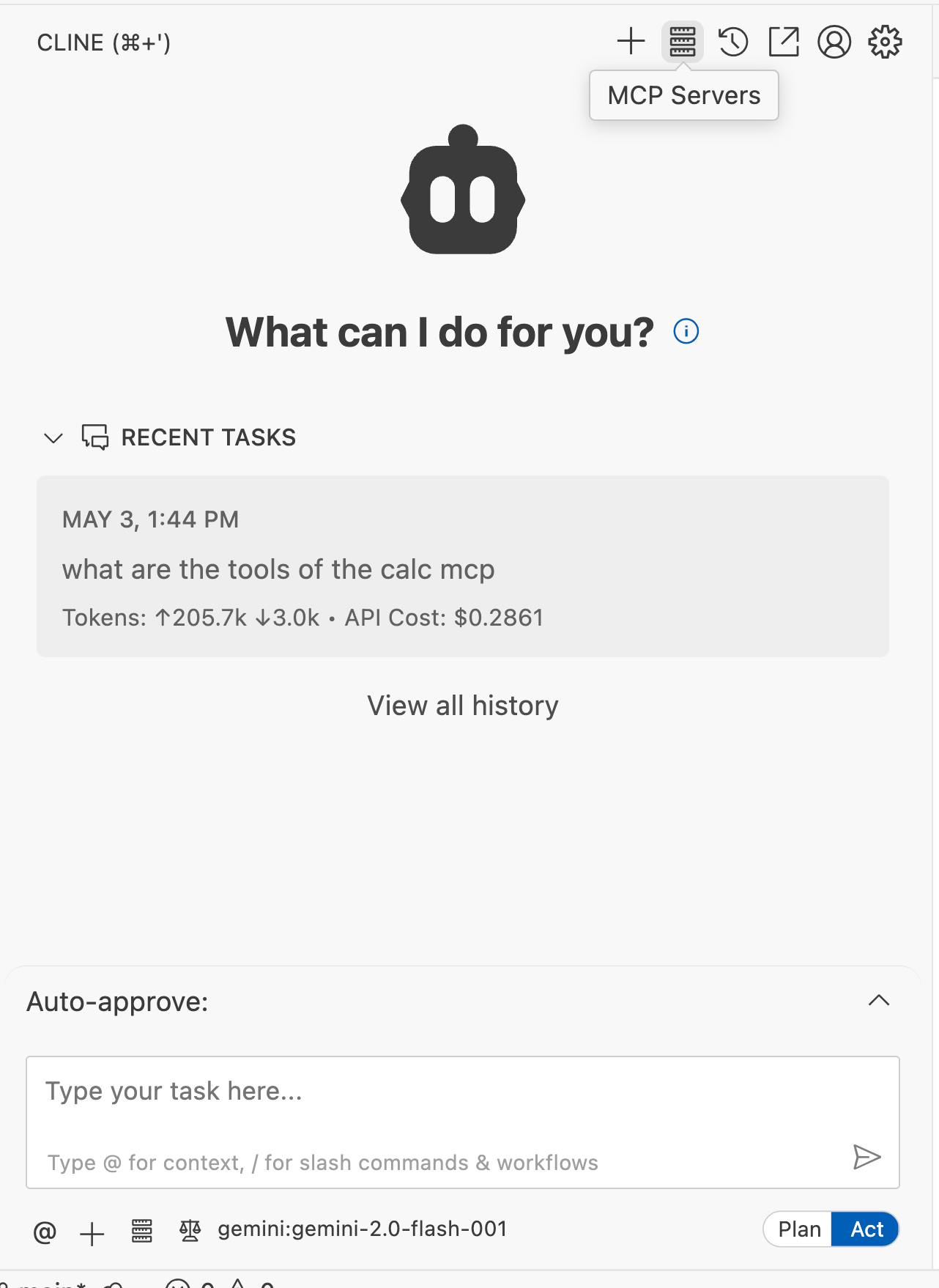
Now you can tap “Done” on the top-right corner and chat with your MCP client. Below, I asked the client to get the temperature of LA and divide it by an arbitrary number.

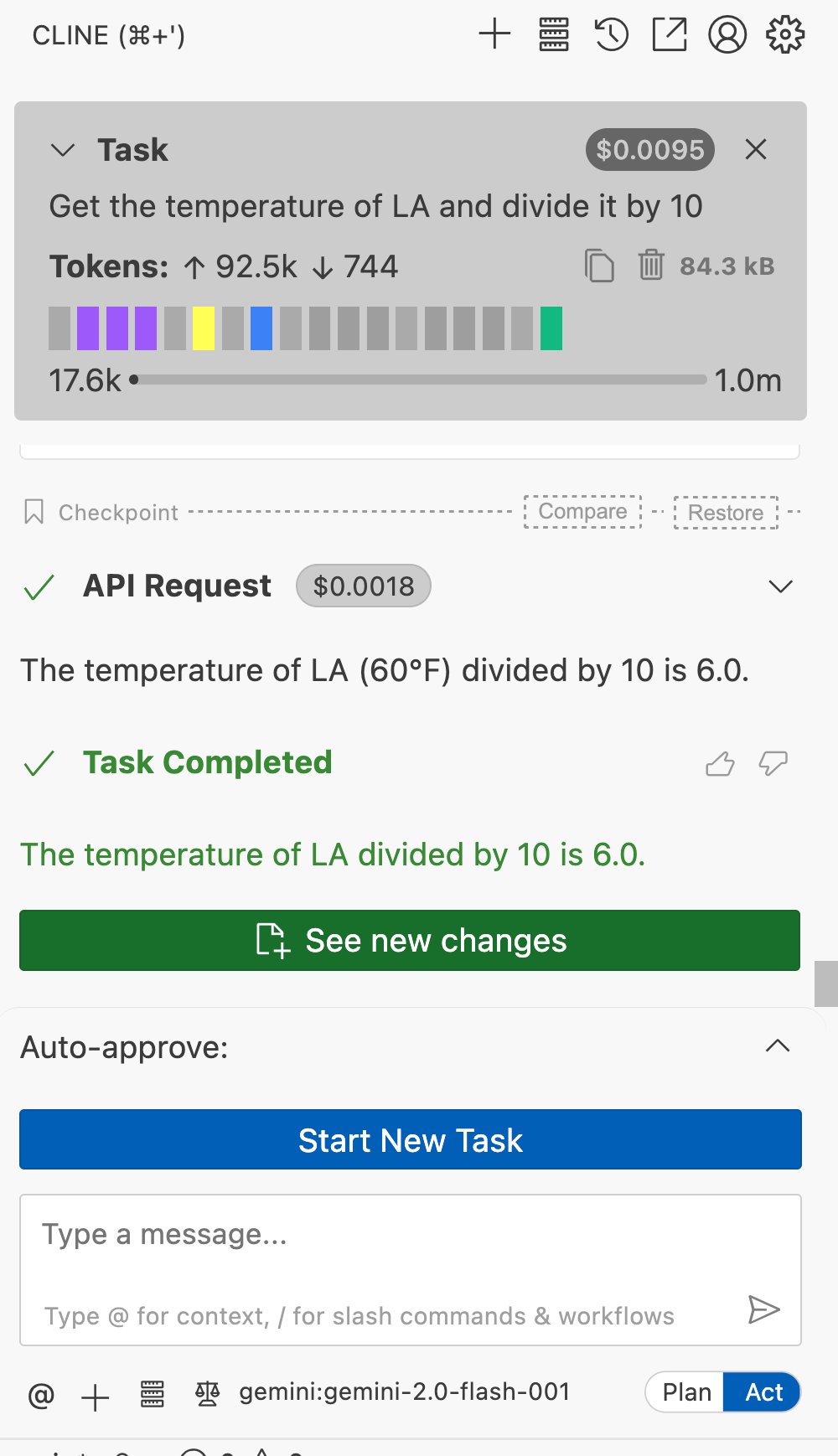
This is a simple request, but you begin to see how accessible ALL agents are and how you can easily customize them to use your personal tools. You can turn on and off different agents and see the how the client responds. For example, if I turn off the calculator I provided, the client will create its own calculator.
Learn More
If you want to integrate more MCPs into your daily workflow, you can browse the smithery.ai catalog. Almost every single app I use, including Slack, TickTick (a todos app), Anki, and Obsidian, have corresponding MCP servers. Instead of hiring a personal assistant, it is a lot easier to integrate MCPs into your preferred Coding Agent. Now if I need to schedule a task, I can tell my agent to create a TODO and find a spot on my empty calendar to schedule completing the task.